Your lobby, handled.

Docent, the visitor management system from nXio, turns an iPad and a label printer into a professional front desk — self-service check-in in five languages, signed NDAs, photo badges, guest Wi-Fi, and instant host alerts in email and Microsoft Teams. Visitors are badged and announced in seconds.

Everything a modern front desk needs

Built for offices, plants, and multi-site organizations that take security and first impressions seriously.

CHECK-IN

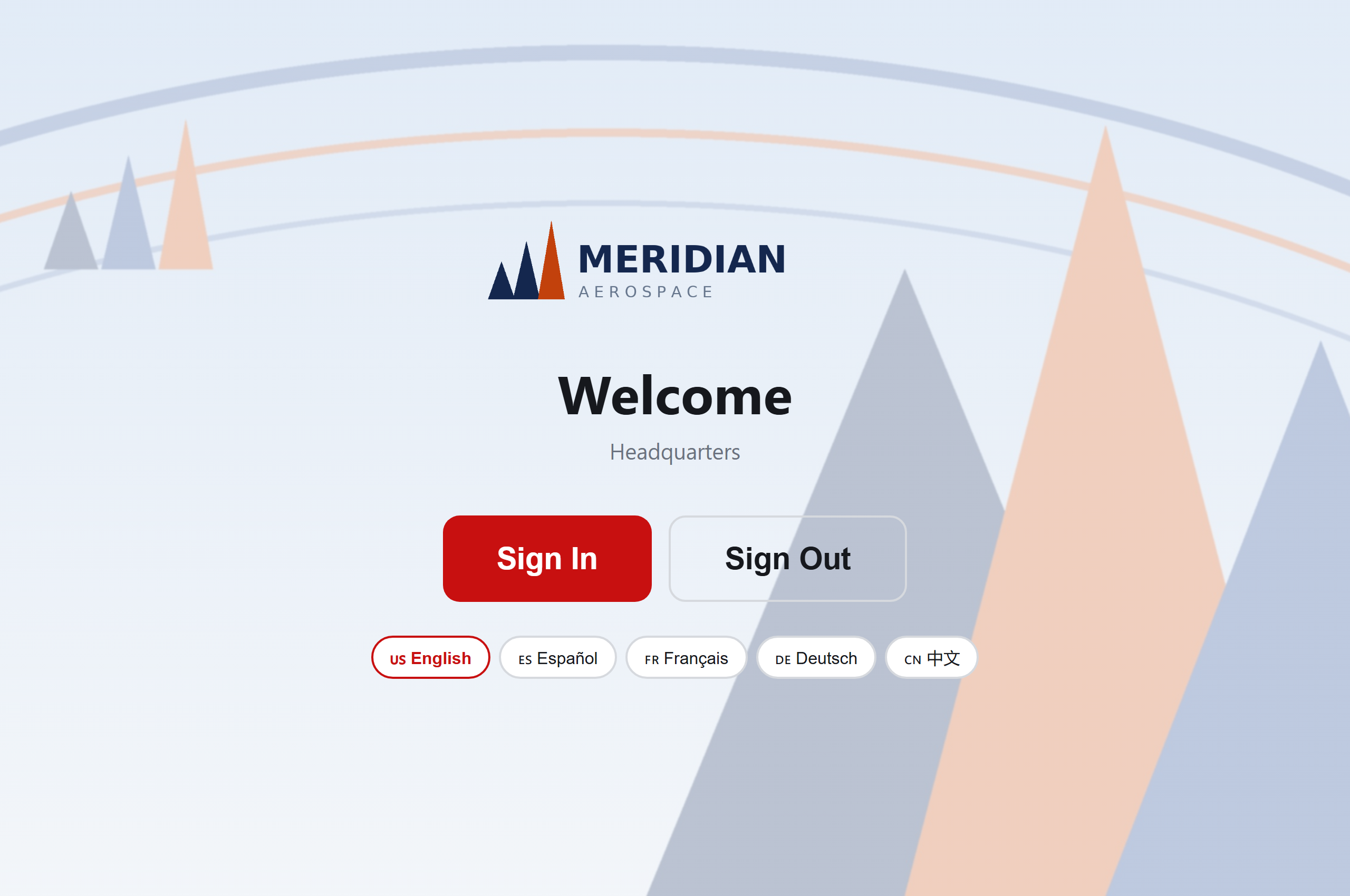
Self-service kiosk, five languages

A fullscreen iPad experience visitors walk through in under a minute — in English, Español, Français, Deutsch, or 中文 with one tap. Returning visitors are recognized by email; reception can check anyone in on their behalf.

COMPLIANCE

NDAs signed, training delivered

Visitors sign your NDA on the kiosk (archived PDFs, counter-signature, your re-sign policy) and complete safety training right there — watch a video or page through your slide deck before the badge prints, with audit-grade completion records.

BADGES

Photo badges you can redesign

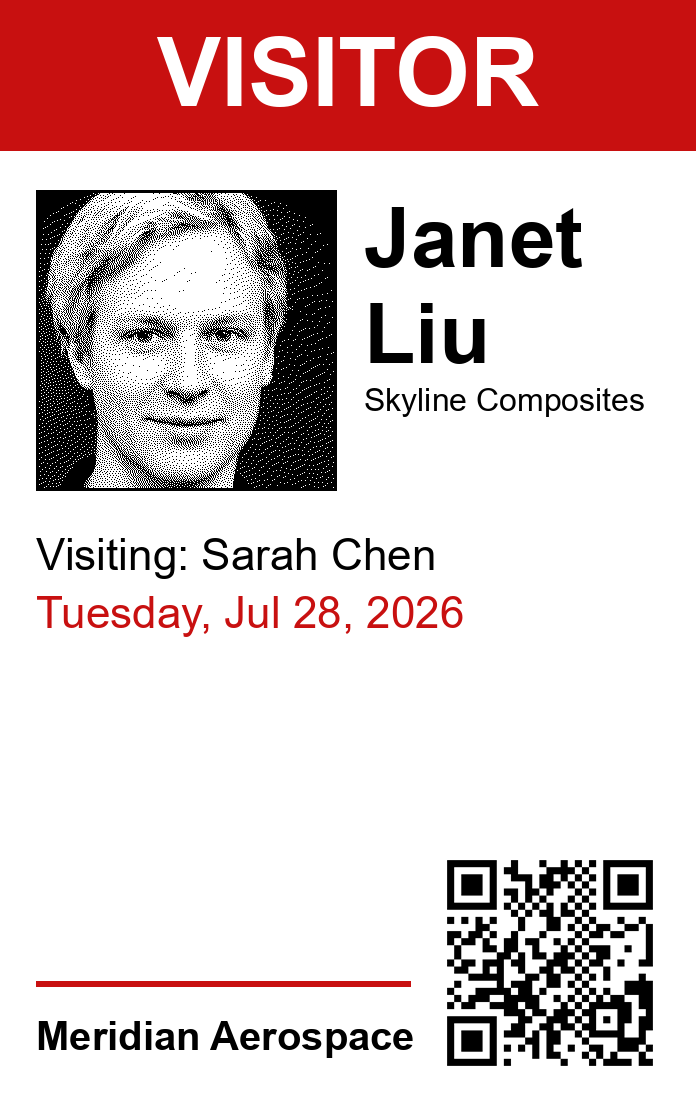
Camera capture at the kiosk, badge out of the printer in seconds. Design the badge layout yourself with a live-preview editor — typography, fields, your rules — on affordable Brother label printers.

NOTIFICATIONS

Email + Microsoft Teams alerts

Hosts get an email and an interactive Teams card the moment their visitor arrives — with one-tap “On my way” responses relayed to the front desk. The Teams app installs itself for each host; admins can pre-push it by name. SLACK TOO Slack workspaces get arrival DMs and host-list sync — no Microsoft 365 required.

PRE-REGISTRATION

Calendar-powered invites

Invite your visitors@ mailbox to any meeting and external guests are pre-registered automatically — they get a customizable, translated invite with directions and a QR code that checks them in instantly at the kiosk. APPLE & GOOGLE WALLET PASSES — COMING SOON

WI-FI

Guest Wi-Fi passes

Per-visit Wi-Fi credentials issued at check-in and printed as a scan-to-join QR label — valid exactly as long as the visit.

SECURITY

Screening, escorts & building badges

Ban lists (by person or company), US watchlist screening for export-controlled sites, photo-ID capture with license verification, ESCORT REQUIRED bands, and full physical badge tracking — QR-labeled badge stock scanned out at check-in and chased at end of day.

END OF DAY

Nobody slips through

Guests still checked in at your chosen hour trigger a Teams card to their host and the front desk — check them out (with a badge-return reminder) or keep them overnight with an automatic morning follow-up.

MULTI-DAY

Multi-day visits

Contractors and auditors register once and check in daily in under ten seconds, with a fresh dated badge every morning.

MULTI-SITE

Every location, one system

Per-location kiosks, printers, invite content, and timezones — with a dashboard your staff can filter to their own site and language, remembered per person.

DEPLOYMENT

No proprietary hardware

Any iPad or Android tablet, any Windows PC, off-the-shelf Brother printers. Our print connector pairs with a code, switches printers from the portal, and keeps itself updated — no IT project required.

RECORDS

Live visitor log & audit trail

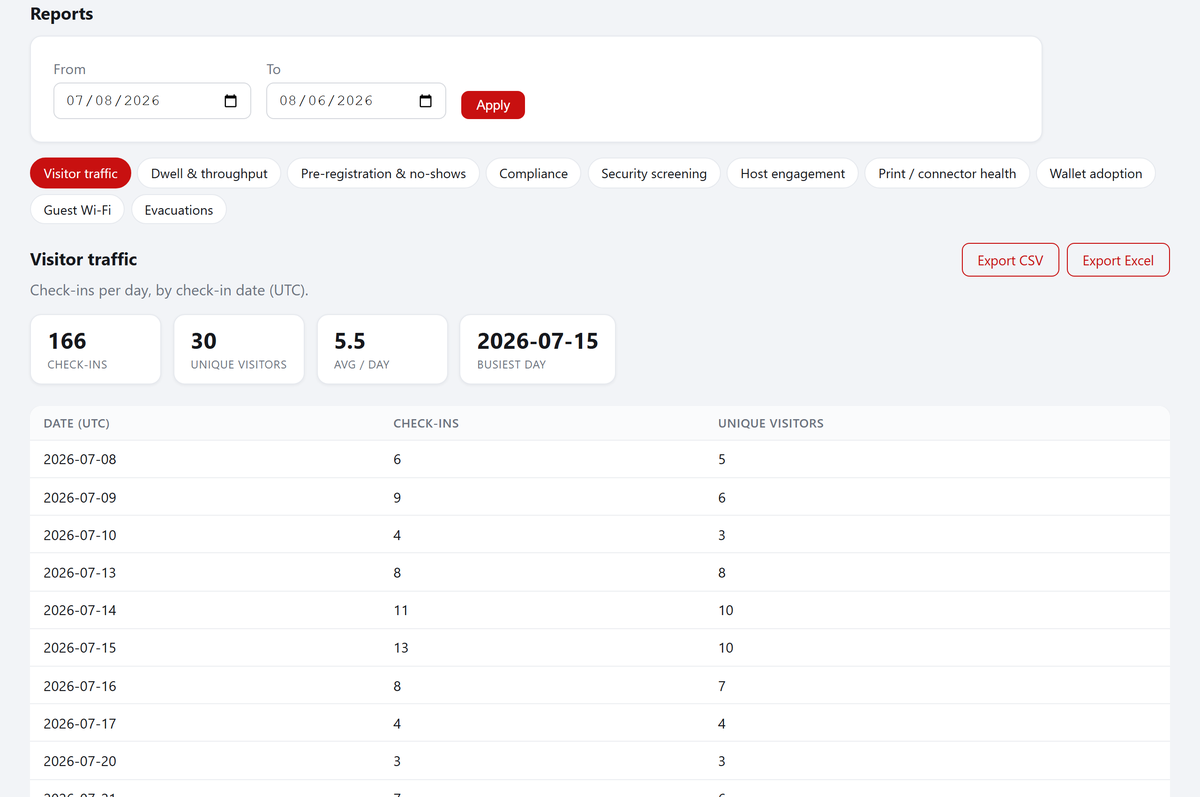
See who's on site right now, full visit history with photos, NDA archive, Excel and CSV exports, emergency roll call with archived evacuation reports, and a complete audit trail — with retention policies you control.

Look closer

The details are where lobbies live or die. Expand any area — this is exactly what ships today.

Kiosk & check-in flow
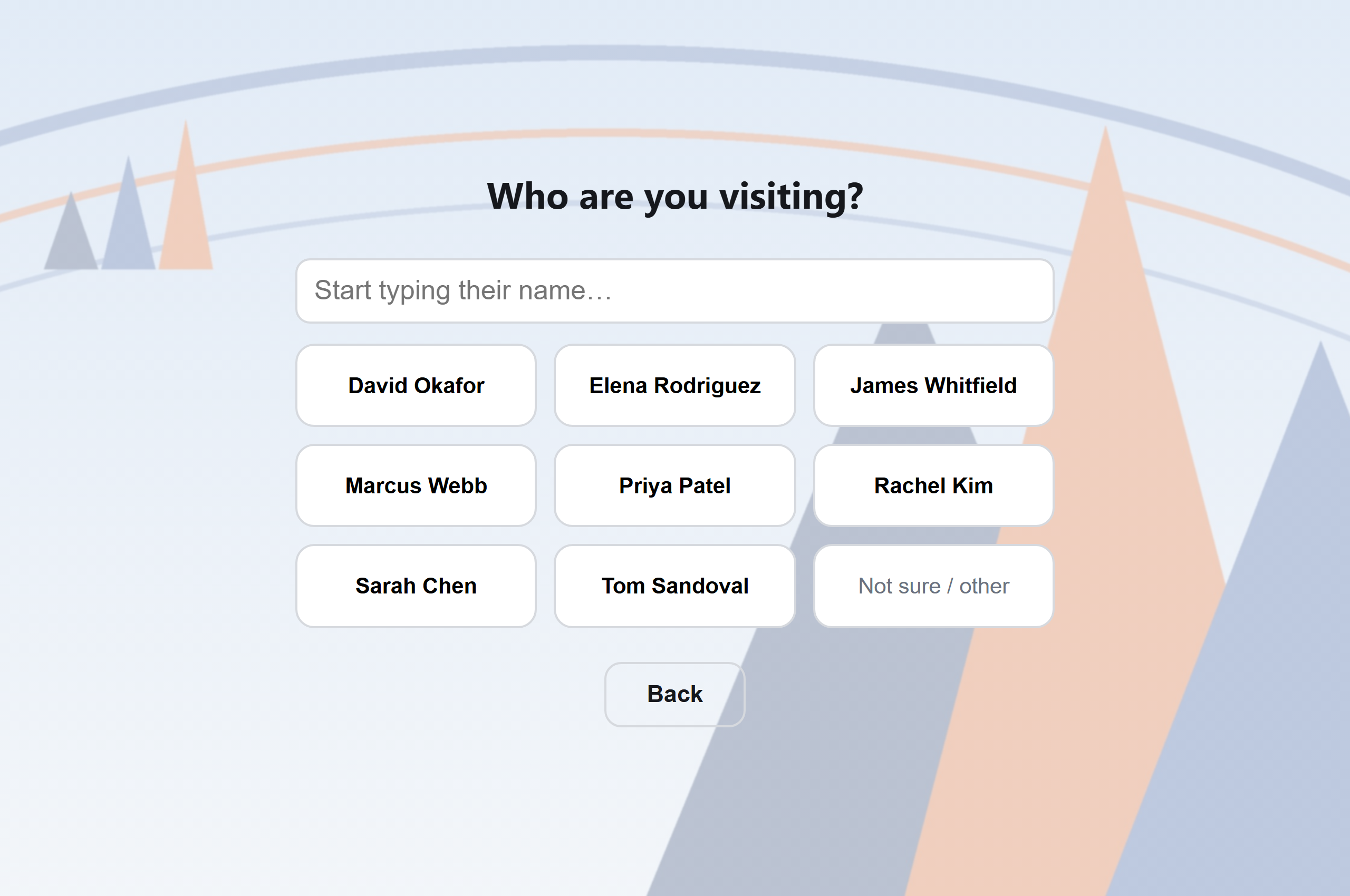
  • Under a minute, start to badge — name, company, host search, photo, NDA, and the printer is already working before the confirmation screen.
  • Five languages, one tap — English, Español, Français, Deutsch, 中文. The visitor picks; invites and kiosk remember.
  • Returning visitors recognized by email — details prefilled, valid NDAs honored, multi-day guests fast-tracked in seconds.
  • QR fast lane — pre-registered guests scan the code from their invite and walk through checked in.
  • Safety training at the kiosk — video (watched to the end) or slide deck (every page), gated before the badge prints; returning visitors with current training skip it.
  • Photo-ID step — the kiosk reads the license barcode, checks the name and expiry, and archives the document photo.
  • Front-desk mode — reception can check anyone in or out on their behalf, with the same rules enforced.
  • Any tablet — it's a web kiosk: iPad, Android, or a spare monitor. Add to home screen and go fullscreen.
Badges & printing
  • Photo badges in seconds — camera capture at the kiosk lands on the label before the visitor pockets their phone.
  • Design it yourself — a drag-and-drop badge designer: place fields, photos, QR, and conditional bands (escort, safety training) on a live canvas, with per-location layouts for different sites. Prefer code? The same designs are editable as HTML templates with versioned rollback.
  • Two-color thermal printing — black + red on Brother QL label printers. No ink, no ribbon, ~2¢ a label.
  • Dynamic label length — our print connector speaks the printer's raster protocol directly: Wi-Fi and badge labels cut at their content, not at a fixed length. No wasted tape.
  • ESCORT REQUIRED band — impossible to miss across the room; per visit-type or per-visitor.
  • Fresh dated badge daily for multi-day visits — yesterday's badge visibly expires.
Microsoft 365, all the way down

Most systems "integrate with" Microsoft 365. Docent is built on it.

  • One admin-consent click connects your tenant — no per-user setup, no API keys.
  • Host directory is your directory — kiosk host search hits Entra ID live; nothing to sync or maintain.
  • Interactive Teams arrival cards — hosts tap “On my way” or “Running late”, add a note (“send them to Conf Room B”), and the front desk sees it instantly. Printer problems alert reception the same way.
  • A real Teams bot — ask “today” for who's on site; type “preregister” and invite a guest without opening the portal.
  • Calendar-powered pre-registration — invite your visitors@ mailbox to a meeting; external guests get translated invites with QR codes automatically, after a one-tap organizer confirmation in Teams.
  • Staff sign-in is Entra SSO — role-based portal access with your existing accounts and MFA.

Not a Microsoft shop? Slack arrival DMs and host sync are built in, and hosts can be managed right in the dashboard — no directory required. ROADMAP  Google Workspace (directory, calendar pre-registration, SSO) is next — the platform underneath is suite-agnostic.

Compliance & site security
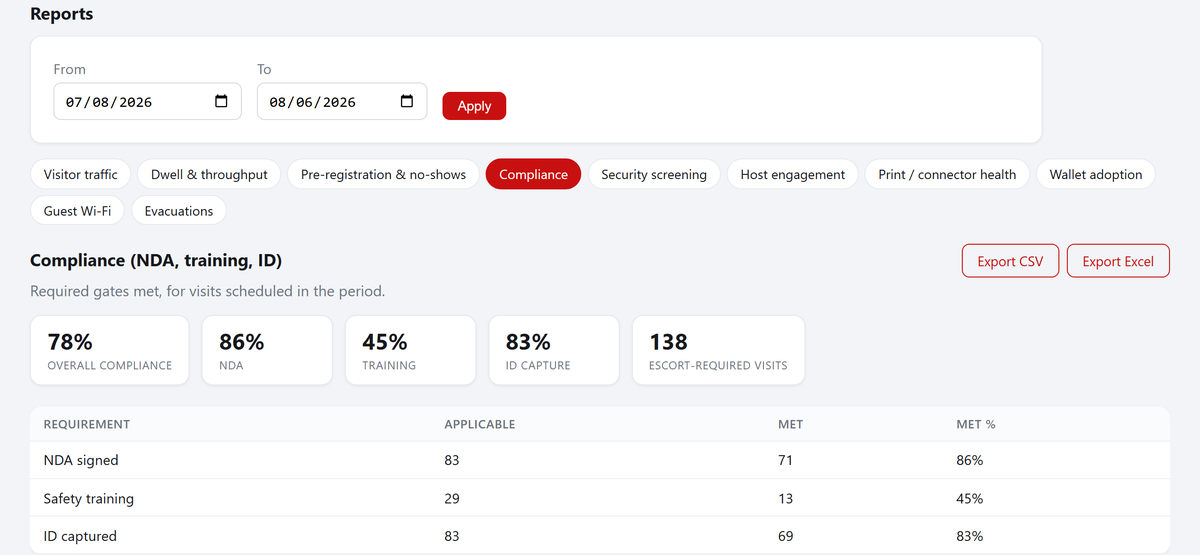
  • NDA e-signature at the kiosk — with your officer's counter-signature, automatic PDF archive, emailed copies, and validity windows so returning guests aren't re-asked.
  • Safety-training tracking — per-visitor expiry windows; the badge and the host alert both flag outstanding training.
  • Escort classes — per visit type, overridable per visit; printed on the badge and pushed to the host.
  • Ban list — flag or hard-block by name, email, or company; blocked visitors get a neutral message at the kiosk while reception is alerted.
  • US watchlist screening (ITAR) — every check-in screens the person AND their company against the government's Consolidated Screening List, with per-visit evidence either way ("screened at 9:02, clear") and fail-secure behavior if the screening service is ever down.
  • Photo-ID capture — license barcode parsed and matched against the typed name, expiry checked, document photo archived on its own short retention clock. No per-scan fees.
  • Physical building-badge stock — QR-labeled badges with access levels, scanned out at check-in, chased at end of day, released at sign-out. You always know who holds badge B-014.
  • Emergency roll call — one tap shows everyone on site, live; evacuation reports are archived as evidence.
  • End-of-day sweep — still-checked-in guests trigger Teams cards to host and front desk at your chosen local hour; overnight stays get a morning follow-up automatically.
  • Retention you control — per-org visit/NDA/photo retention and right-to-erasure tooling.
Guest Wi-Fi that provisions itself
  • Per-visit credentials — a real, individual guest pass created on your wireless controller at check-in, not a shared lobby password on a laminated card.
  • Valid exactly as long as the visit — multi-day guests keep one pass for the whole engagement; it dies when the visit ends.
  • Scan-to-join QR label — printed with the badge; phones join without typing anything.
  • RUCKUS One today — more controllers on the roadmap.
The print connector (our unfair advantage)

Cloud visitor systems usually punt on printing. We didn't.

  • Runs on any Windows PC that can reach the printer — USB or network. No dedicated print server, no static IPs.
  • Pairs with a 6-character code — from install to first badge in under two minutes.
  • Managed from the portal — switch printers, see health and versions, change print modes remotely. No lobby visits.
  • Updates itself — new releases roll out fleet-wide, SHA-verified, within hours. Zero-touch.
  • Redundant printers — pair a backup connector on another PC: it takes over within seconds when the primary goes quiet, and rescues jobs when the primary is out of labels. A badge is never printed twice.
  • Real print confirmation — "printed" means the Windows queue drained the job; out-of-labels and offline errors alert reception in Teams with the reason.
  • Avery sheet formats — no label printer? Print badges into Avery name-badge sheets (5147 family and badge-kit inserts) on any laser printer, slot by slot.
  • Native raster printing — we bypass the Windows driver and speak Brother's protocol directly: dynamic label length, per-job cutting, true two-color. It's the difference between "supports label printers" and actually mastering them.
Multi-site & operations
  • Locations are first-class — kiosks, printers, visit types, badge layouts, invite content, Wi-Fi, and timezones per site.
  • Dashboards scoped per person — staff filter to their site and language once; it sticks.
  • Roles that match a lobby — front desk, front desk (training), org admin; plus a full audit trail of every action.
  • Exports — Excel and CSV of visits, attendance, and NDA archive state, filtered like the dashboard.
  • Status page & health checks — connectors, kiosks, and integrations visible at a glance.

Where we're honestly different

We read every competitor's site so you don't have to. Here's what you get here that's rare — or nowhere — elsewhere. See the full side-by-side comparison →

RARE

Guest Wi-Fi without the enterprise tax

Most visitor systems don't touch Wi-Fi at all; the few that do lock it behind enterprise tiers at several times our price. We provision a real per-visit guest pass on your wireless controller and print it as a scan-to-join QR — included in Professional.

NOWHERE ELSE

Labels cut to fit

Every competitor we surveyed prints fixed-size labels through the same Brother printers. Our connector speaks the printer's native raster protocol: each label — badge, Wi-Fi pass, sticker — is cut at its exact content length. Roughly half the tape, every roll.

DEEPEST

Teams that talks back

Not just a notification: hosts answer arrival cards, resolve end-of-day status checks, ask the bot who's on site, and pre-register guests from chat. And inviting your visitors@ mailbox to a meeting is all it takes to pre-register — no plugin, no portal visit, no training.

UNIQUE

Physical badge stock, tracked

Others integrate with door controllers; nobody tracks the physical badges in your drawer. Ours are QR-labeled with access levels — scanned out at check-in, chased automatically at end of day, released at sign-out. You always know who has badge B-014.

NO LOCK-IN

Hardware you already own

No proprietary kiosks, no bundled iPad “programs,” no per-device fees. Any tablet, any Windows PC, an off-the-shelf Brother printer — and a print connector that pairs in two minutes and updates itself.

FAIR

Pricing that doesn't punish growth

Unlimited employees, hosts, and check-ins on every plan — per location, no modules to stack, no surprise “that's enterprise-tier” conversations for features a lobby obviously needs.

Up and running in an afternoon

No servers to install, no contracts with hardware vendors.

Connect Microsoft 365

One admin-consent click links your tenant — host directory, email, and Teams notifications light up automatically.

Pair your printer

Run our connector on any Windows PC, enter a pairing code, pick your printer from the dropdown. Badges start printing.

Mount the iPad

Open your kiosk link, add to home screen, and your lobby is live. Update branding and visit types anytime — changes appear instantly.

Plans for every front desk

Simple per-location plans. Pricing announced soon — early access customers get preferred rates.

Starter

For a single office that wants a professional lobby.
Coming soonper location / month
  • Self-service kiosk check-in & sign-out — 5 languages
  • Badge printing (bring your own printer)
  • NDA e-signature with PDF archive & emailed copies
  • Email host notifications
  • Live visitor log, history & Excel/CSV export
  • Reception check-in & pre-registration
  • Visitor ban list (by person or company)
Join the waitlist

Enterprise

For multi-site organizations with compliance needs.
Coming sooncustom
  • Everything in Professional
  • Multiple locations & kiosks, per-site dashboards
  • Custom branding on kiosk, badges & email
  • Badge layout designer with live preview
  • Physical building-badge tracking with access levels
  • Emergency roll call & evacuation reports
  • US watchlist screening (Consolidated Screening List / ITAR)
  • Webhooks & API — cloud or delivered on your LAN
  • Custom data retention & visitor erasure
  • Role-based access (front desk, training, admin)
  • Priority support & onboarding
Talk to us

See it with your own lobby

We'll have you checking in visitors — badges, NDAs, Teams alerts and all — in a single call.

Book a demo